

How to Troubleshoot Full Disk Space on Linux
If your disk space is full on your Linux server, or is approaching 100%, in this tutorial we will show you how to troubleshoot which directories are using up the most usage.
STEP #1: Log into your server via SSH as root.
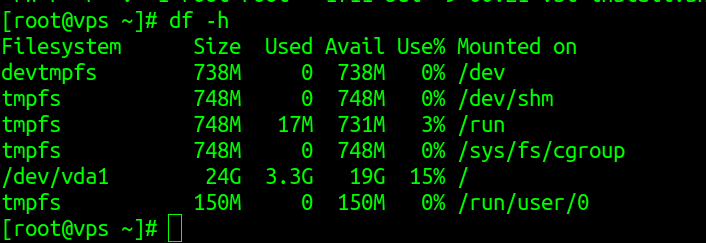
STEP #2: Check the current disk space using df-h command.
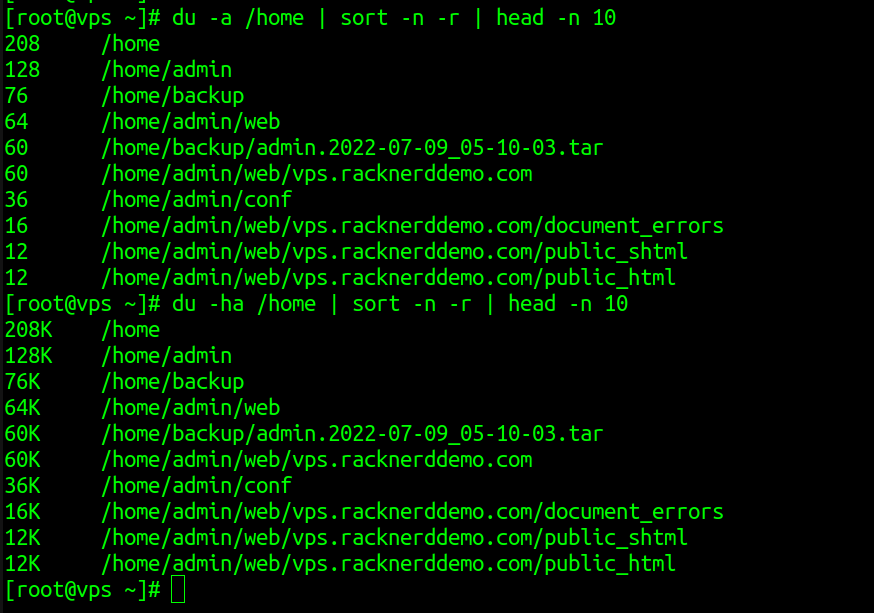
STEP #3: Check which are the top 10 directories according to the size: du -a /home | sort -n -r | head -n 10
This command can give you the details, if you need in exact size in KB’s. Use ‘h’ in options.
du -ah /home | sort -n -r | head -n 10
du : Shows space usage.
sort : Sort lines of the files.
head : Shows beginning of the files
find : Shows search results
Now you have the results of total disk space, top 10 directories and it’s exact size. You will need to check into each directories and see what is in there and act accordingly.
You can also use ducks command to find it.

Then just run ducks , you get the details:

These are the troubleshooting related commands for identifying large directories within a Linux server environment.