
How to Setup FTP Server on a Windows VPS
By default, if you have a control panel, you can easily manage and create FTP accounts. But in the case of a Windows VPS, you need to have the FTP server role configured manually from within the Operating System. In today’s guide, we will provide you with step by step instruction on how to configure the FTP server role so you can start uploading and downloading files from your Windows VPS via a FTP client such as Filezilla.
Step 1: Connect to your Windows VPS via Remote Desktop Connection. Once connected:
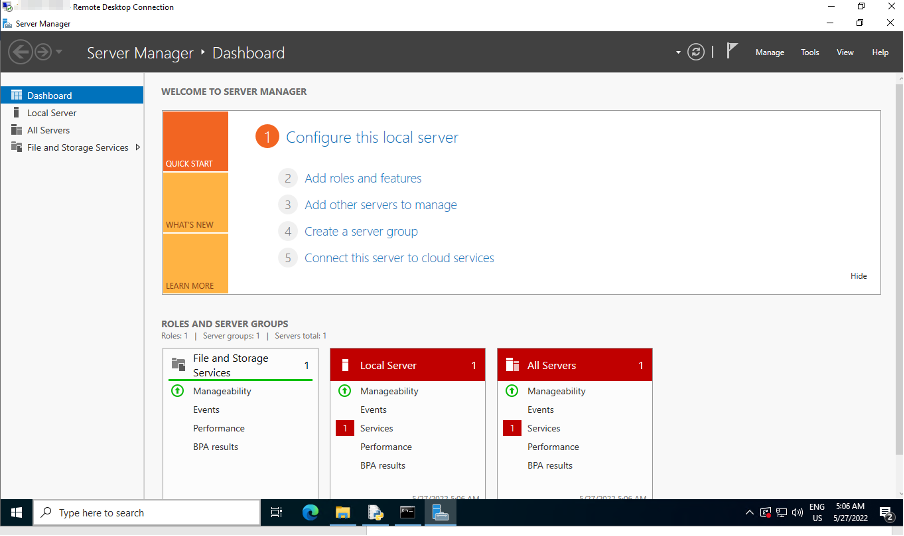
Click Start -> Server Manager
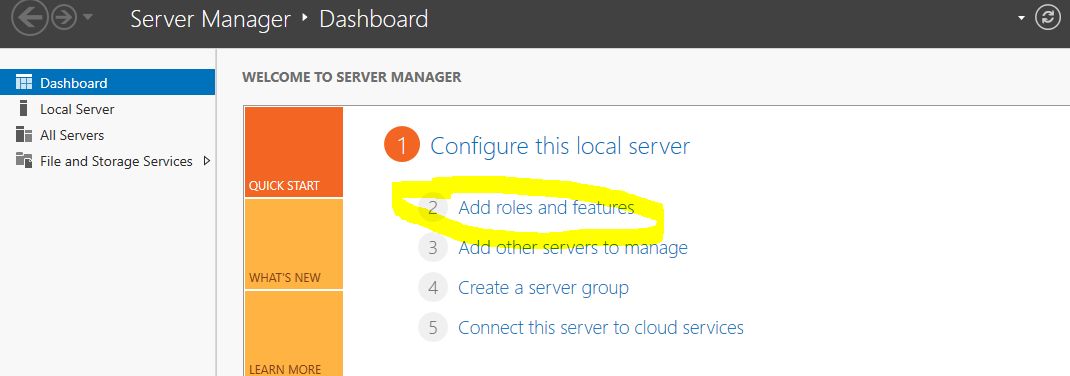
Step 2: Server Manager -> Click Add Roles and Features
Step 3: New Tab Opens to continue the FTP installation by clicking next
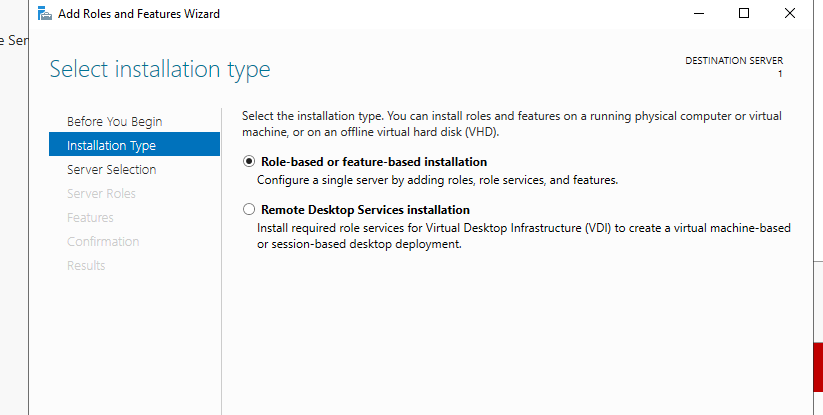
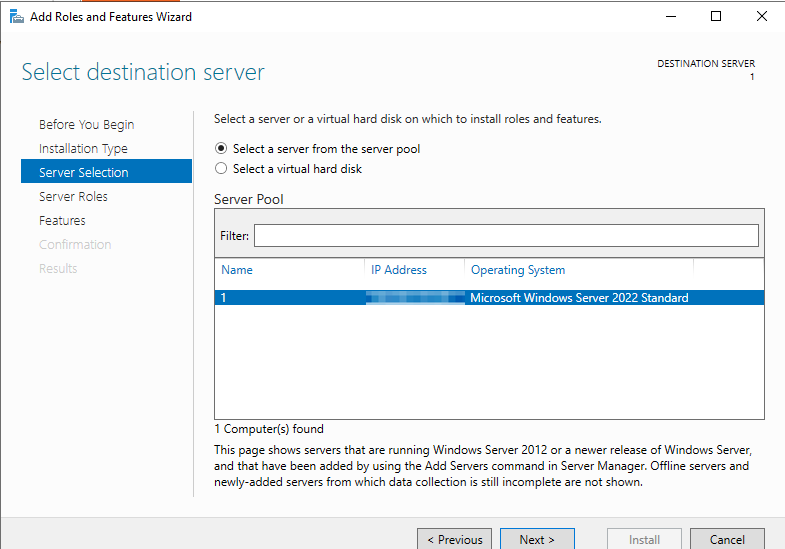
Step 4: Select Destination Server and click next
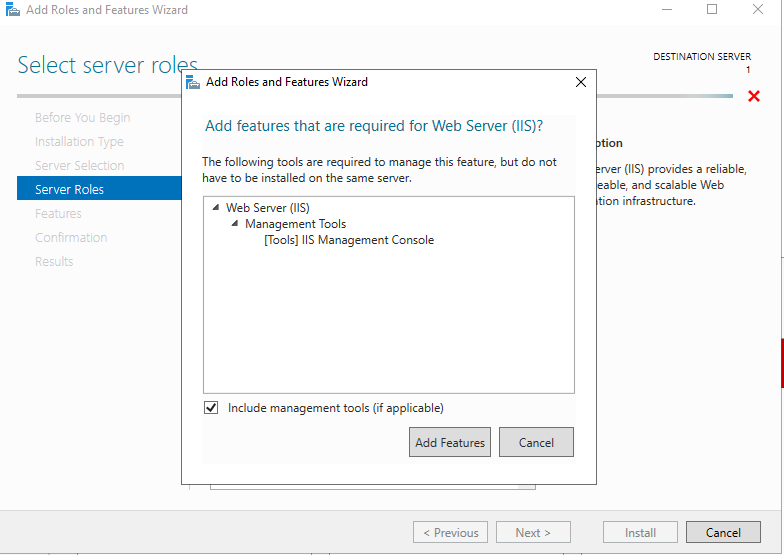
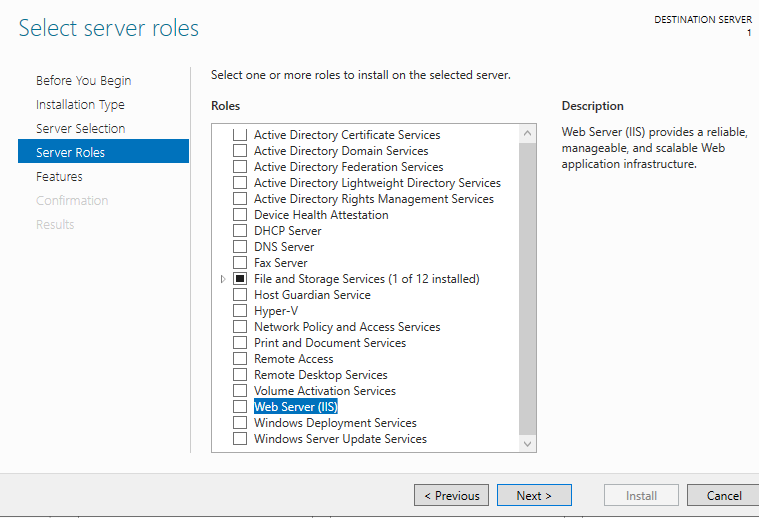
A new window appears, select IIS Web Server, click next again a new window appears, click Add Features
Keep Clicking next until you see below window, then select “FTP server”
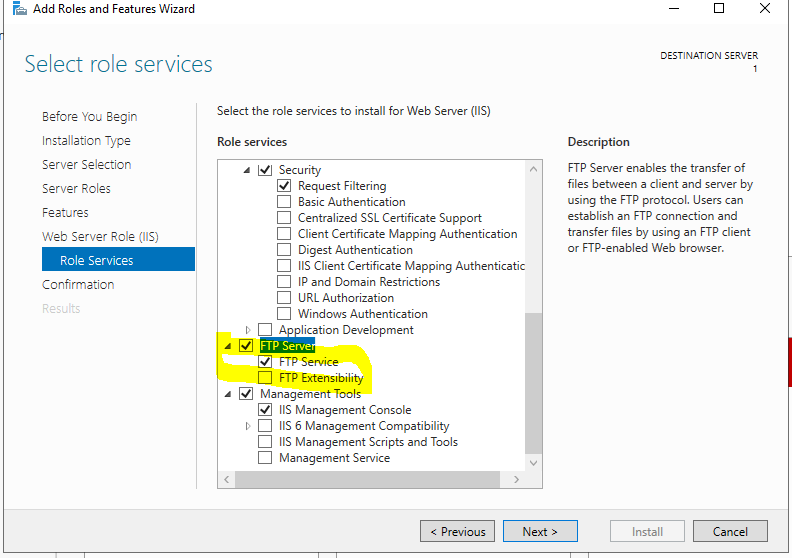
Now Click Install Button, to complete the installation
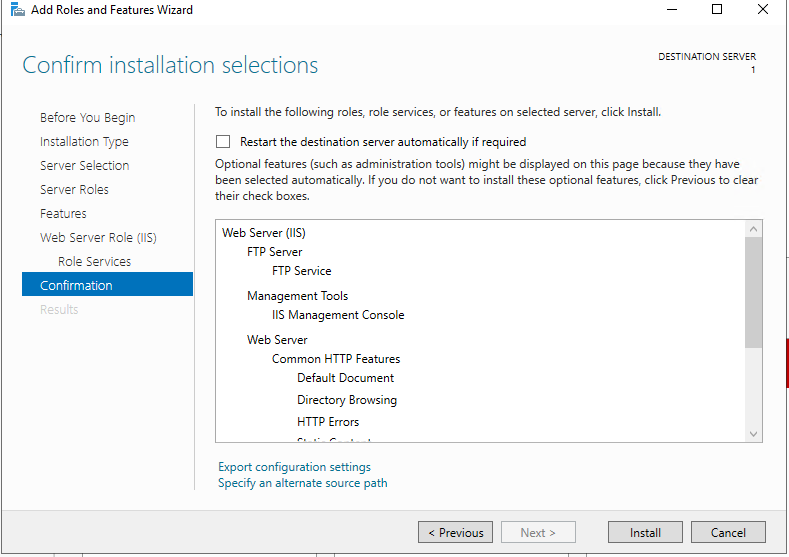
Now you will see the installation process
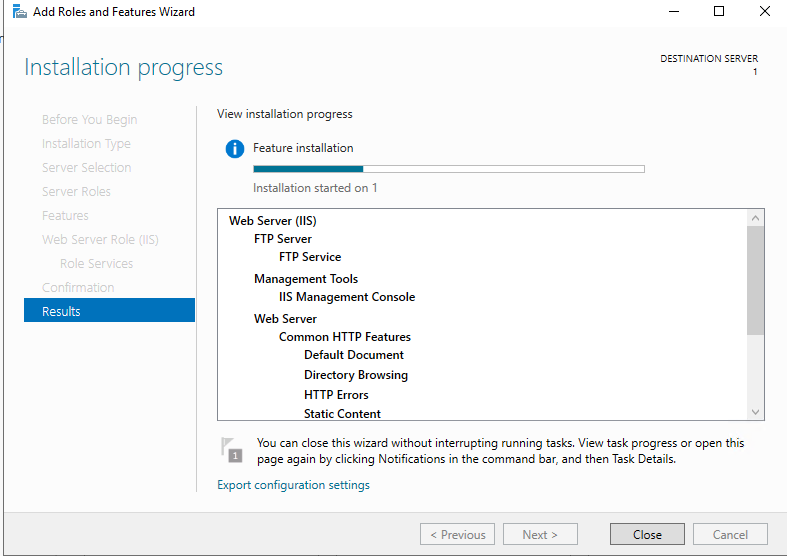
Step 5: Create an FTP -> Start -> ISS Manager
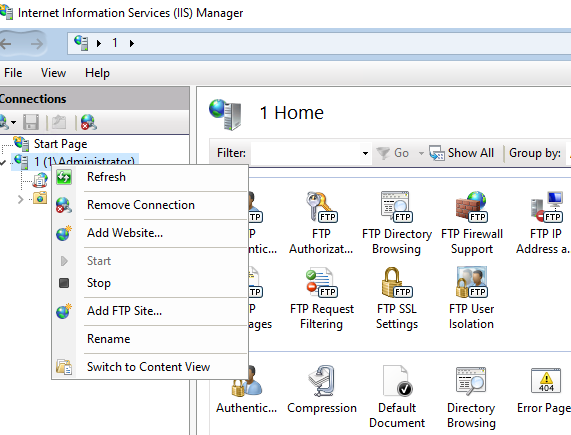
Once IIS Manager Opens, right click on server to add FTP site
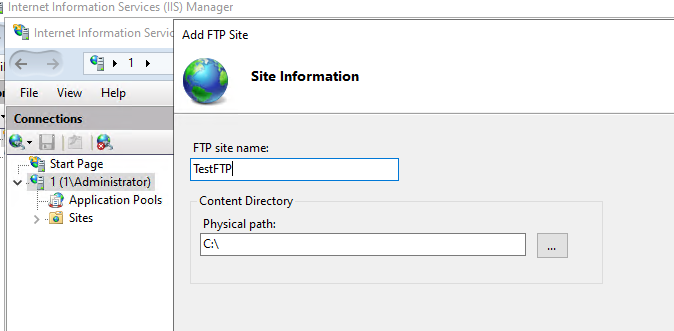
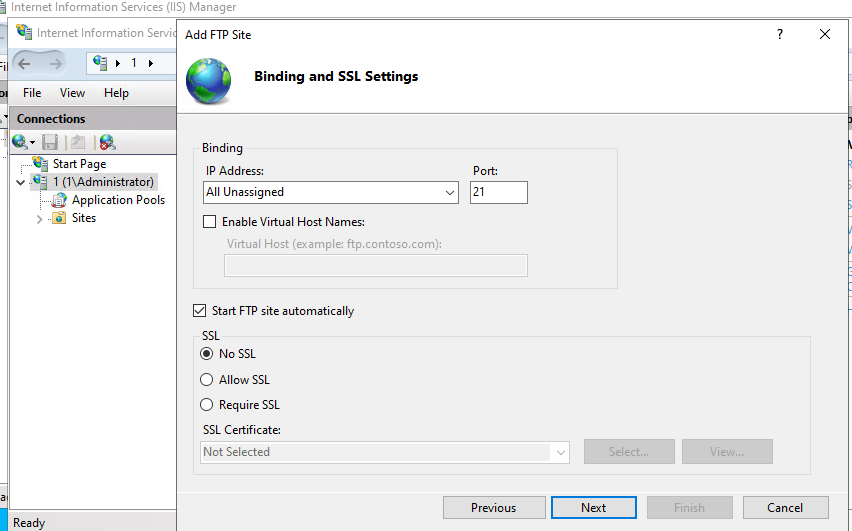
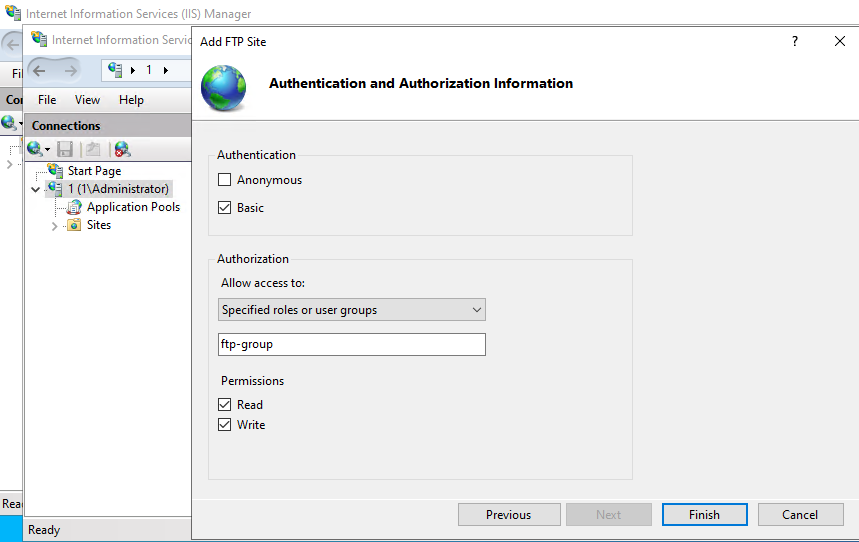
Now your FTP site has been added
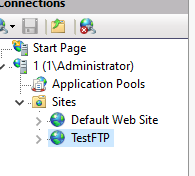
User Group Management for Managing FTP Access
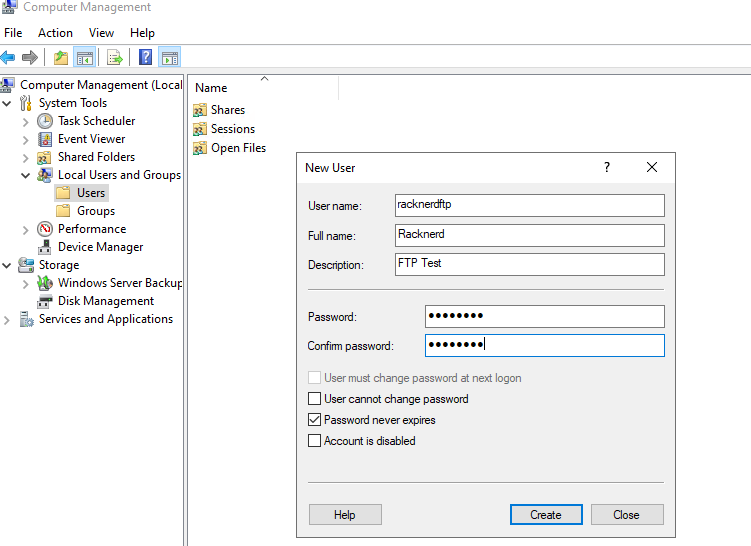
Start -> Computer Management -> Local Users and groups -> Users -> Right Click -> New Users
Start -> Computer Management -> Local Users and groups -> Groups -> Right Click -> New Group
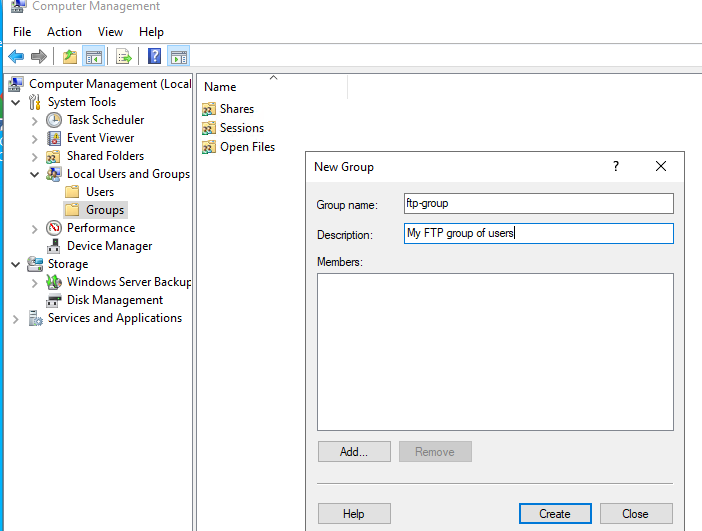
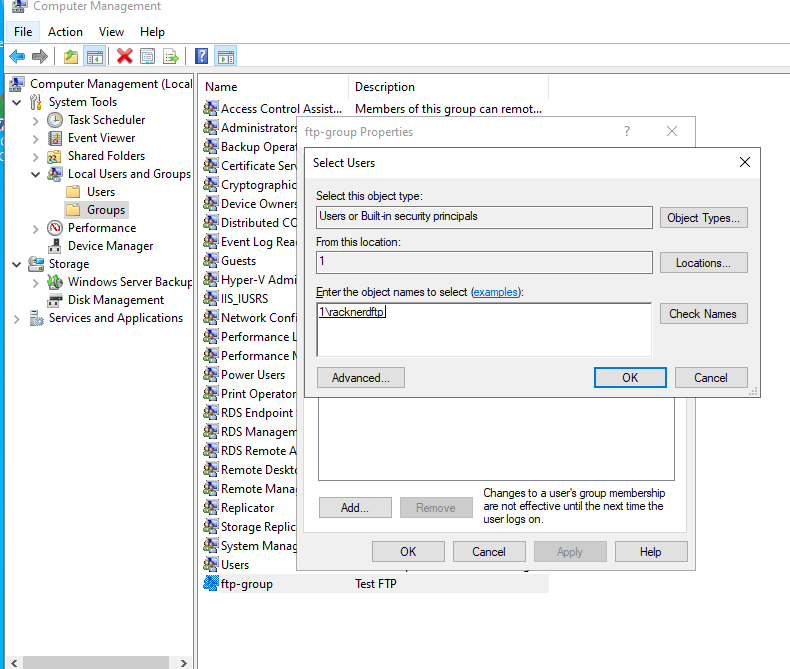
Click Add button to add users, give the name you created in users and click check, if user exists it will automatically add as below and click Apply.
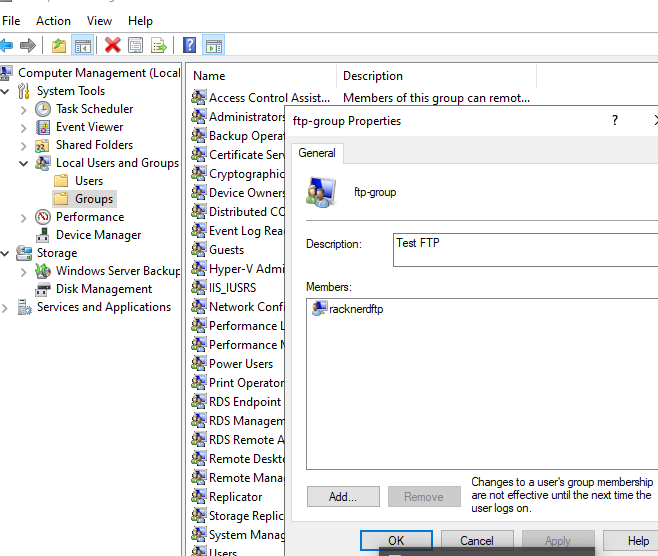
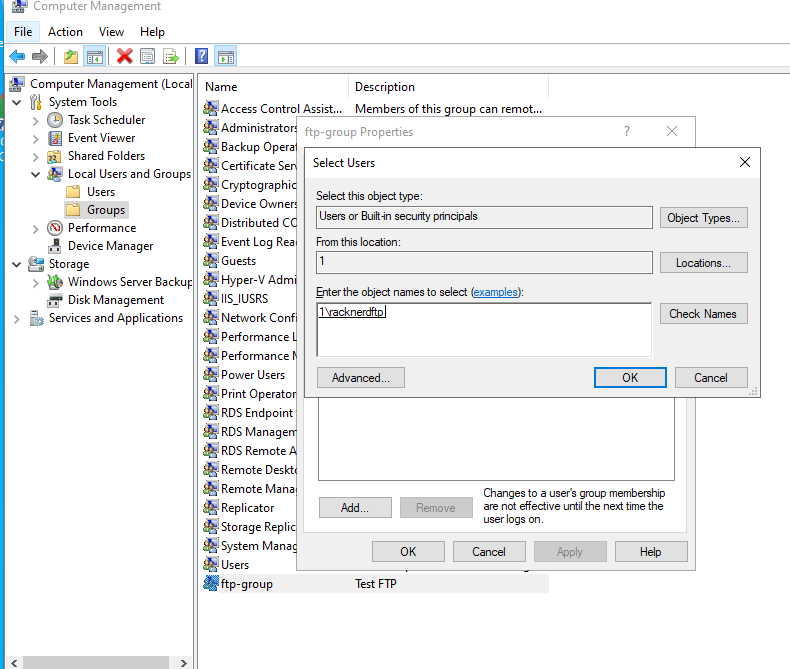
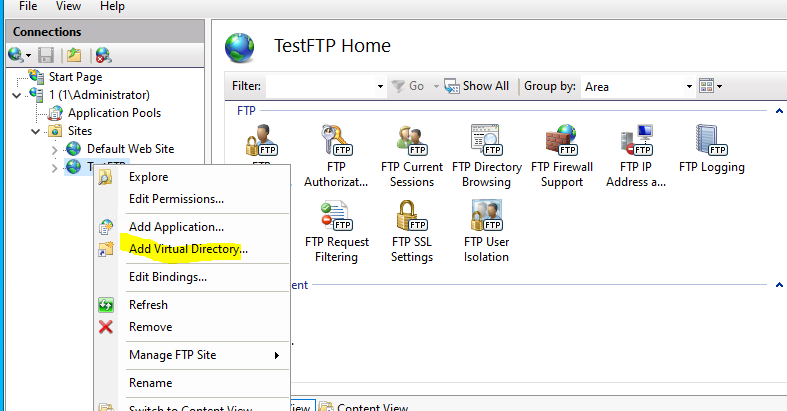
Close All computer Management Window and Go back to IIS Manager -> Test FTP site you created. Right Click -> Add Virtual Directory
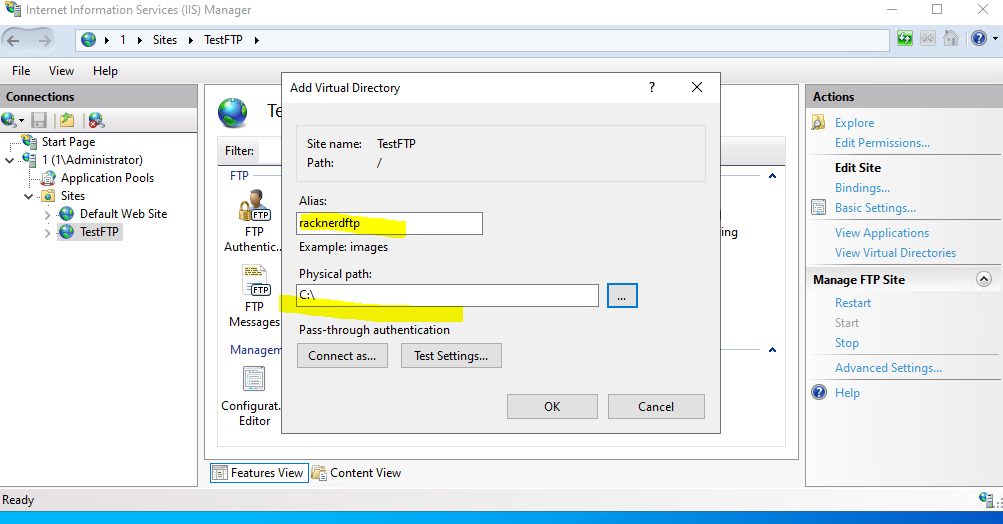
In next window give FTP username you created and directory
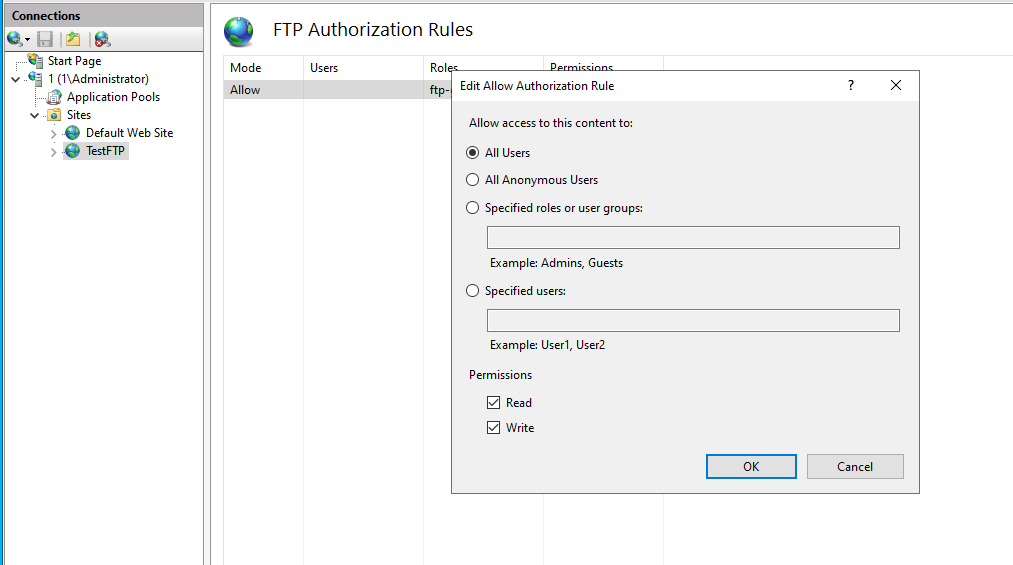
On your new FTP site, select FTP Authorization Rules
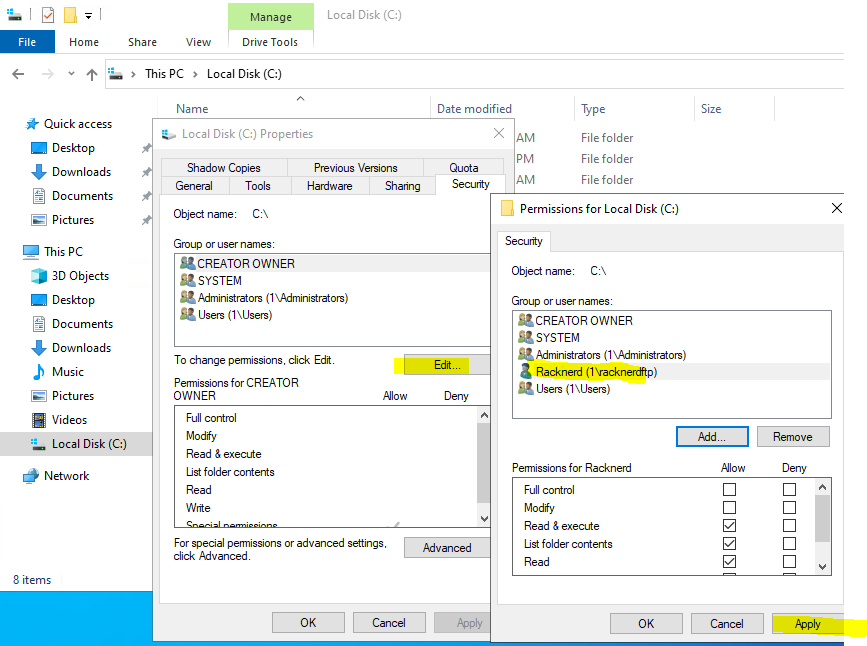
Lastly, go to the directory and give permission to folder for the FTP user.
Well done! By now, we have configured FTP user and permissions have been assigned to download/upload data via FTP clients like FileZilla.